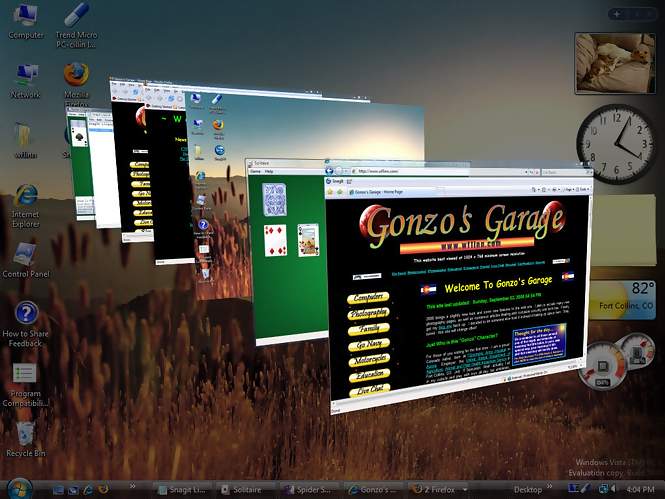
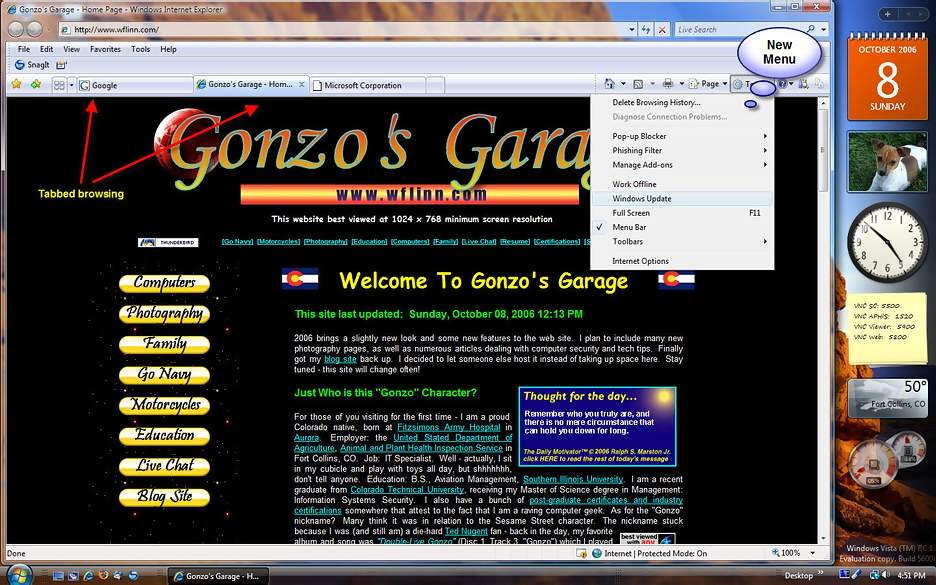
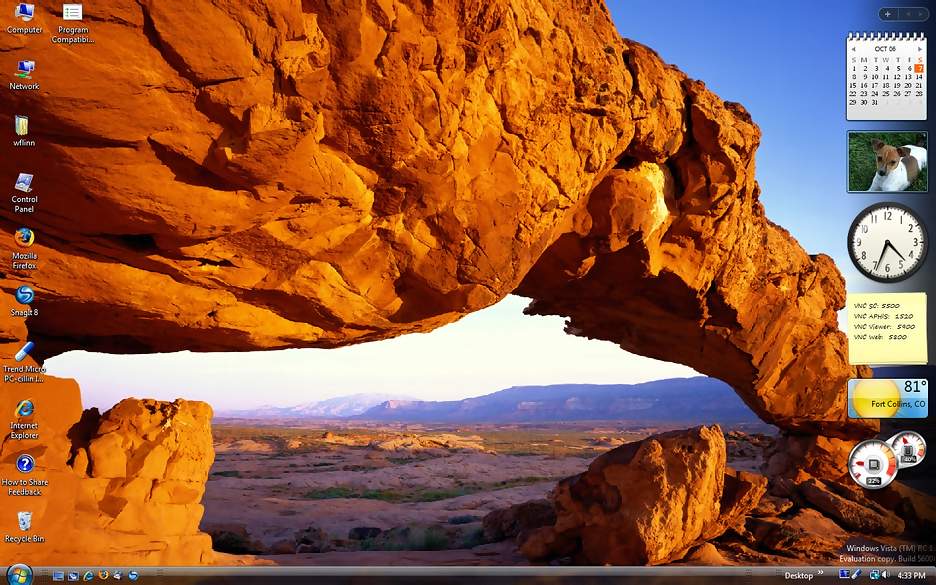
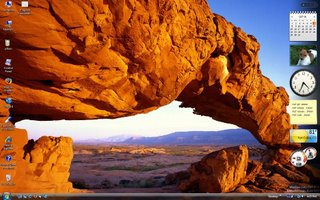
In the very near future, Microsoft will release their newest version of the Windows Operating System. The release of Windows Vista is due to reach the public around January of 2007. Of course, those of you who know me know that I can't look at anything new in the computer world without scrutinizing its security, support, and maintainability aspects. So, I wanted to take this opportunity to show you what Vista looks like, but also give you an idea of some of the enhanced security and maintenance features as well. This newest release of Windows represents the most radical change in the look and feel of Windows since the jump from Windows 3.x to Windows 95 over eleven years ago. From a security and stability aspect, this new version promises to be more robust. And for those of you who only care about the "eye candy" features and have grown bored with the way Windows XP looks, you too will have some new vivid graphics and gadgets (literally) to keep you happy.
 A Word About Hardware:
If you truly want to take advantage of Windows Vista's new graphics and user interface features, you are going to need a fairly hefty computer. If you are buying a new computer, look for the "Windows Vista Capable" logo on the front. You are going to need a fast CPU (dual core would be nice), lots of RAM (1 GB minimum), and lots of video RAM (128 MB minimum). These minimums are mine, not necessarily Microsoft's, by the way. The computer will run fine with Vista on a typical machine these days (3GHz CPU, 512 MB Ram, etc), but many of the graphics features will not work. The user interface (UI) in Vista is code named "Aero," and if you have the more robust system, you can take advantage of a host of new features commonly referred to as "Aero Glass" features. The interesting thing here is that Vista will tailor its performance and feature sets to the hardware it detects in your computer. Better have a DVD drive. So far, I have only seen the ability to obtain installation media on DVD - it is a fairly huge package. I am not certain at this time if Microsoft plans on releasing the installation media on CD as well as DVD. DVD drives are cheap - you will need one anyway.
For my tests and the screen shots you will see in the full article, I am running Windows Vista Ultimate Release Candidate 1 (RC1) on a 2.93 GHz Intel CPU, 1GB of RAM, and an NVIDIA GeForce FX 5500 video card with 256 MB of video memory. The final release version may have slightly different features and screen appearances than those seen below. RC1 is drastically more stable than Beta 2 was, and has a slightly different look and feel than Beta 2. If this is any indication, then there will be some slight enhancements and bug fixes in the final release versions.
 The Vista Upgrade Path:
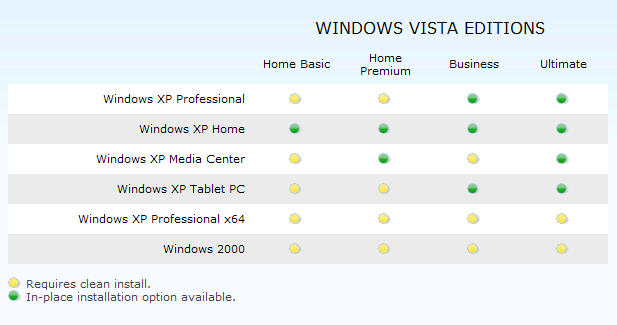
 Vista will be available in several different versions (six versions to be exact) for home and for business. There will be a version that has more multimedia features, and versions that have more business and networking features. Windows Vista Ultimate (the version I will show you here) will have it all. If you are running an older version of Windows, you are out of luck - there will not be an upgrade path for you - you will have to install from scratch. If you are still running one of these older operating systems, you probably need a new computer anyway. You will need to be running Windows XP Home or Professional to be able to perform a direct upgrade, all others will require a clean install. Note: If you are already running Vista Beta 2 or RC1, you may have to do a clean install. In my testing, I was not able to upgrade from Beta 2 to RC1 without failure. Clean installs will always give a better, more stable installation anyway.

You may want to wait a bit before rushing right out and buying/installing the upgrade, however. Make sure all of your applications will work properly with Vista. Your antivirus software may or may not work with Vista. Remember - Vista is a drastically different operating system - so viruses that affect previous versions of Windows do not affect Vista. For that very reason, many antivirus applications would not even install on my test box because they would not run on Vista. One great feature is that your Windows Security Center will tell you if you are missing an antivirus application, and will give you a web link to antivirus applications. In my tests, I found a great deal of difficulty just finding an antivirus program that would install - but as I mentioned above, Vista will take you to the site of a compatible application.
If you use other types of maintenance programs, such as Diskkeeper for defragmenting your drives, those programs probably won't work either. This article from Microsoft will give you a pretty good step-by-step process and list of issues to consider when upgrading to Vista. According to one eWeek article, the best way to go is to not do an upgrade but back up all your stuff and do a clean installation. Application compatibility is a more complex issue with Vista, but Vista offers compatibility wizards to help you make an assessment.
A Final Word:
If you want to upgrade to Windows Vista, make sure you have a fairly powerful computer, and go out and do some research so that you know all of the requirements and pit falls. Once you are satisfied that you want to make the leap to the new O.S., go out and buy yourself a good video card and a wide-screen monitor. Vista takes good advantage of the new wide-screen monitor formats. Quite honestly, you will be fairly disappointed if you try to look at Vista on your old 15" CRT or even one of the smaller LCD monitors. I tried it initially on a 1024 x 768 resolution monitor, and was left wanting for more. You will needs lots of RAM and a hefty video card to be able to use all of the aero glass features. If you are buying a new computer anyway, research a 64-bit machine and make the leap to one of the Windows Vista 64-bit editions. As Vista is making its appearance, so are the powerful 64-bit machines. I think we will be finding that future applications will cater to the 64-bit systems and operating systems.
Read full article with more screenshots...